

Old School RuneScape
OSRS Puppies Locations Guide
12 Sep 2026Read More



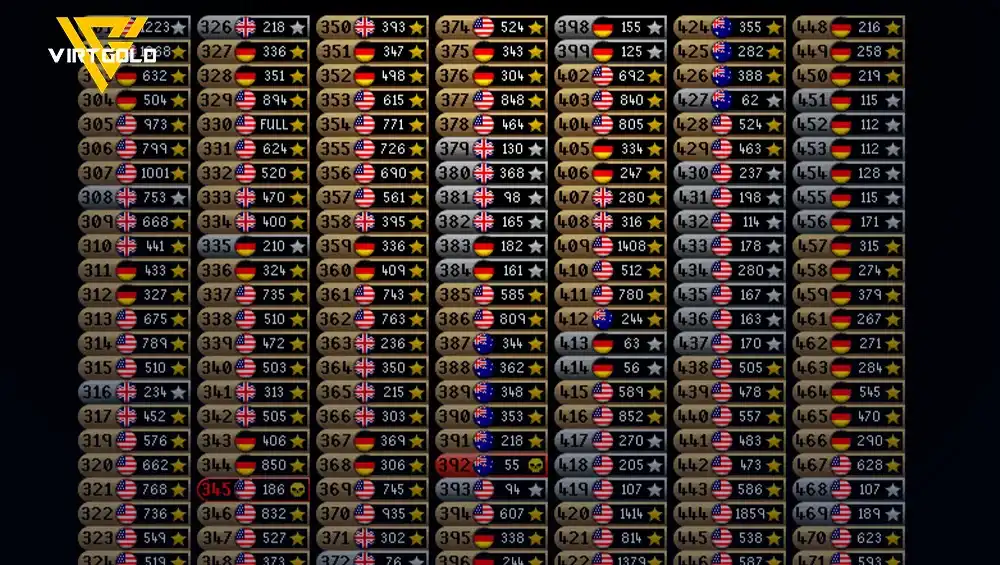
Learn how to organize the OSRS World Selector, filter F2P, PvP, and special worlds, remove high-ping regions, and quickly find worlds for activities like Guardians of the Rift.
If you play OSRS, you already know that hopping between worlds is quick and easy. The problem is that the World Selector can get messy fast, with worlds you never use, PvP servers, minigame worlds, and regions that may give you terrible ping. If you've ever wondered whether there's a way to clean up and organize that list, the answer is yes.
The OSRS World Selector gives you several ways to sort worlds by number, region, activity, and name, along with filters that let you hide entire categories of worlds you don't need.
In this guide, we'll break down all the useful World Selector options, explain what each sorting arrow does, go over the filters you can use, and show you how to quickly find specific worlds for the activities you're interested in.

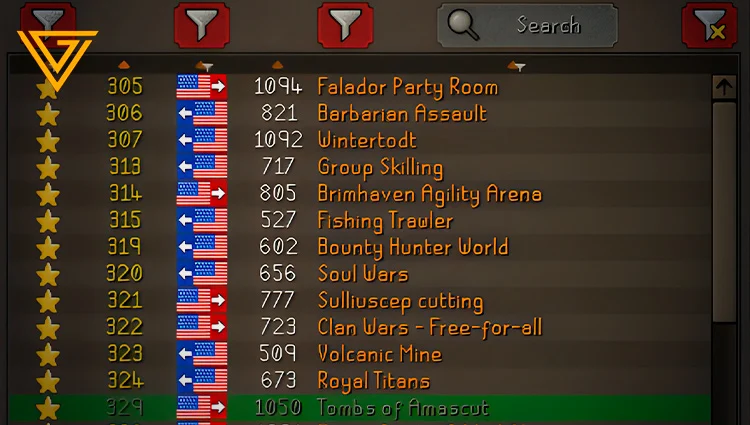
The OSRS World Selector can get messy fast.
By default, you're dealing with a mix of Free-to-Play, Members, PvP, Deadman, Speedrunning, PvP Arena, event, beta, and region-specific worlds. If you mainly play standard Members content like PvM, skilling, quests, or bosses, having all of these worlds visible can make finding the right server more tedious than it needs to be.
Your world region can also have a direct impact on your connection.
If you're playing from the other side of the world, an Australian server, for example, can give you significantly higher latency. That extra delay can affect how responsive the game feels, especially during activities where timing and quick reactions matter. A server located closer to you will generally provide a more comfortable connection.
That's why properly configuring your OSRS World Selector is a simple quality-of-life upgrade. By hiding worlds you don't use and prioritizing regions with better latency, you can spend less time scrolling through the list every time you need to hop and get back to playing faster.
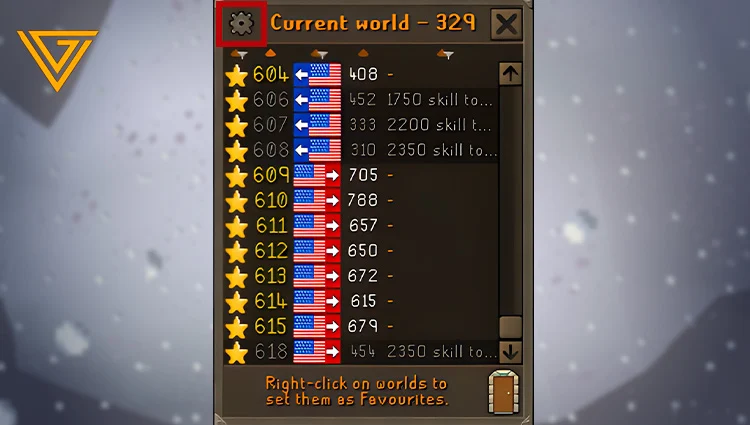
While switching worlds through RuneLite is already pretty convenient, the real difference comes from the Settings tab. This is where you can control exactly which types of worlds appear in your World Selector.
If you're trying to keep your world list clean and make world hopping faster, these filters are the first things you should configure.
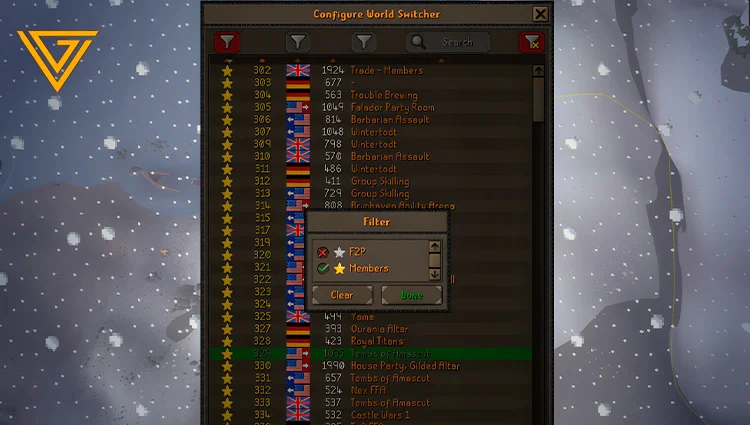
The first filter lets you control whether Free-to-Play worlds appear in your world list.
If you're a Members player and never use F2P servers, you can simply disable them.
Once they're hidden, they disappear from the selector, leaving you with the worlds you actually care about. This cuts down on visual clutter and makes it easier to find the right server when you're hopping.
If you're playing Members-only content:
This is a simple change, but it can make the world list noticeably easier to navigate.
Want to gear up to face the new Maggot King boss easily and safely? Check out our CATALOG.
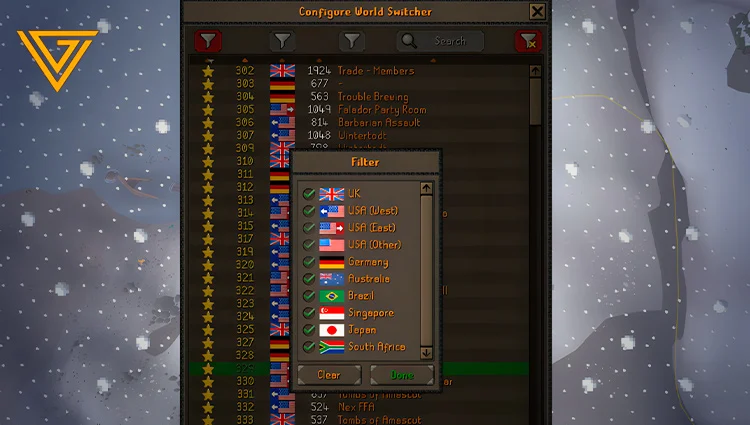
The second filter controls server locations.
You can choose which regions you want to keep visible and remove locations where you consistently get poor latency.
Depending on the available worlds, you may see regions such as:
If you already know that certain regions give you bad ping, there's little reason to keep their worlds in your everyday list.
For example, if you consistently get poor latency on Australian or Japanese servers, disabling those regions removes a large number of worlds you're unlikely to use anyway.
That leaves you with a much more focused list of servers that are actually viable for your connection.
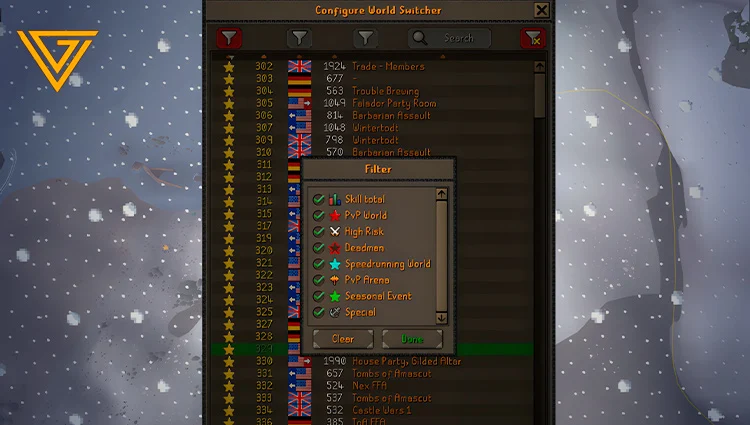
This is probably the most useful filter for keeping your World Selector clean.
The third filter lets you hide different types of special worlds that you may never use during normal OSRS gameplay.
Depending on the current world list, these can include:
If you don't play any of these modes, there's no real reason to keep them mixed into your regular world list.
There's also a practical safety reason to keep PvP Worlds out of your normal list if you never use them.
A common type of OSRS scam involves convincing someone to hop to a PvP World under some pretext. If you're not paying attention to the world type, you can end up in a situation where your items are at risk.
Deadman Worlds are designed around OSRS's more aggressive PvP-focused ruleset.
If you're playing standard OSRS and have no interest in Deadman content, there's little reason to keep these worlds visible.
Disable them and remove another category of unnecessary clutter.
Speedrunning worlds are used for OSRS speedrunning content.
Unless you're actively competing in or practicing speedruns, you can hide these worlds without affecting your normal gameplay.
This is another easy filter to disable when building a streamlined world list.
PvP Arena worlds are dedicated to the PvP Arena.
If you don't use the activity, simply disable the category.
There's no benefit to having a bunch of irrelevant PvP Arena servers mixed into the list when you're trying to find a regular world for skilling or PvM.
You can also hide event, beta, and other temporary special worlds.
These worlds can become relevant when Jagex runs a particular event or testing period, but outside of those situations, they can just add more noise to the selector.
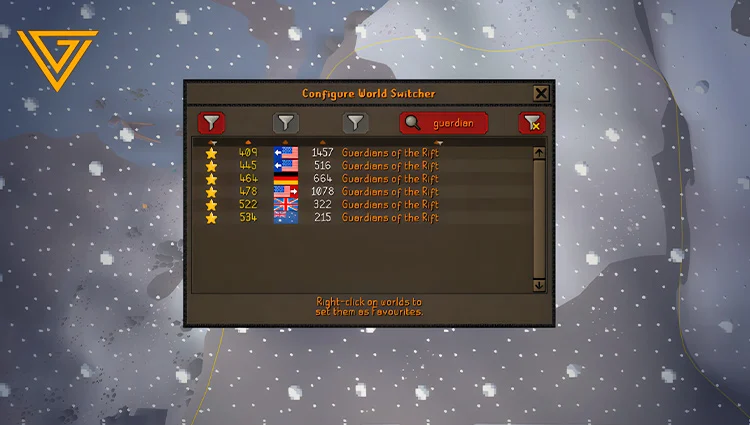
Beyond all the filters we've covered, the OSRS World Selector has another extremely useful feature: activity search.
If you're looking for a specific world for a particular activity, you don't need to manually scroll through the entire world list. Just type the activity you're looking for into the search bar, and the selector will immediately narrow the results down to matching worlds.
Looking for a world dedicated to Guardians of the Rift? Simply type:
GUARDIAN
The World Selector will automatically filter the list and show the worlds that match your search term.

Get assistance from real gamers.

Join our partner network and grow with VirtGold.

sales@virtgold.com